New Features in Moodle
Introducing Moodle 5.1!
See the page below for a quick overview of the new and improved features in Moodle!
For more details, watch the feature videos for versions Moodle 5.0 and Moodle 5.1.
AI tools available in Moodle version 5.1 are not enabled in our College instance.
Activities
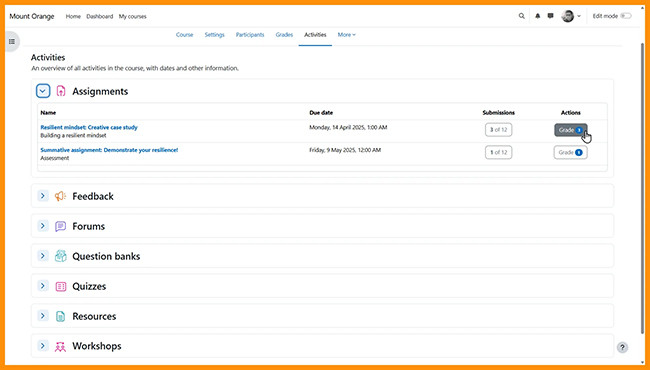
New activities overviewTeachers and students can keep track of course content in the Activities overview.
|
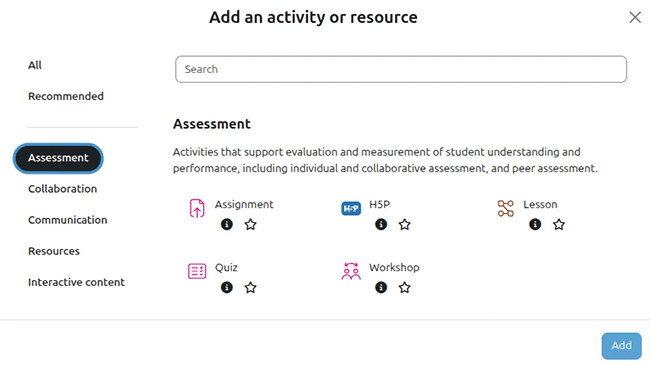
Purpose categoriesWhen teachers add from the Activity chooser activities are grouped by purpose: assessment, collaboration, communication, resources, and interactive content.
|
Grading
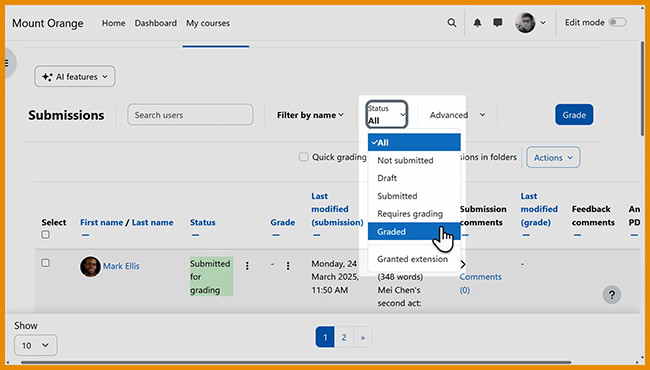
Grading filterTeachers can filter assignment submissions with status 'Graded'.
|
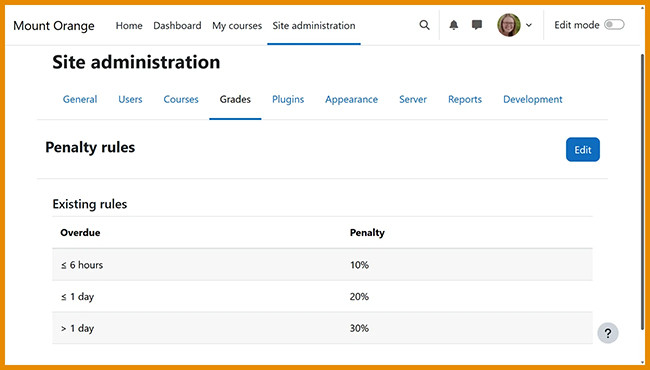
Grade penaltiesLate submission penalties can be applied to assignments.
|
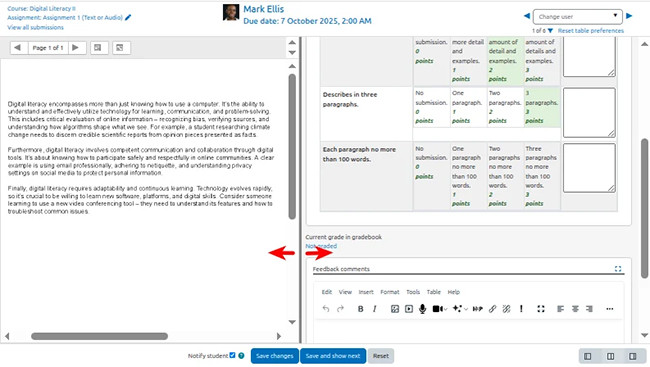
Grader panel resizingAssignment grader panels can be resized by dragging the dividing border, allowing more space for advanced grading methods.
|
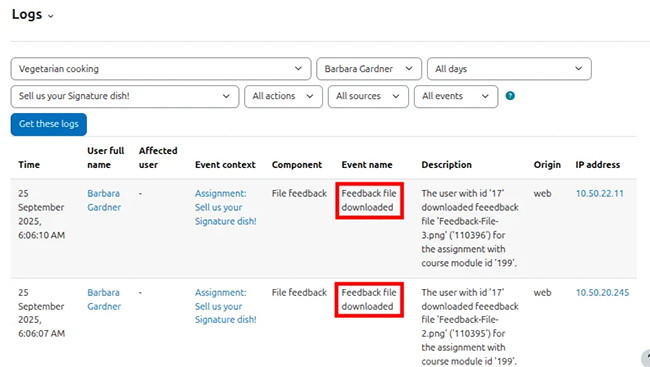
Feedback files downloads loggedFeedback file downloading is logged, so teachers can check the Logs to see if students have downloaded the feedback files.
|
Need more information?
Want to learn more? Be sure to enroll in the Moodle Professional Development course (for both Faculty and Students) to keep learning more about Moodle! Check out the What's new in Moodle! topic.